用 strongSwan 連線到 Sophos 防火牆的遠端存取 VPN
前言

這篇文章紀錄在 Debian 13 上透過 strongSwan 連線到基於 IKEv1 PSK + XAuth 的 Sophos 遠端存取 VPN。
實作環境
- Sophos 防火牆虛擬機:SFOS 22
- Linux 發行版:Debian GNU/Linux 13 (trixie)
- strongSwan 6.0.1
建立群組及使用者
-
建立群組
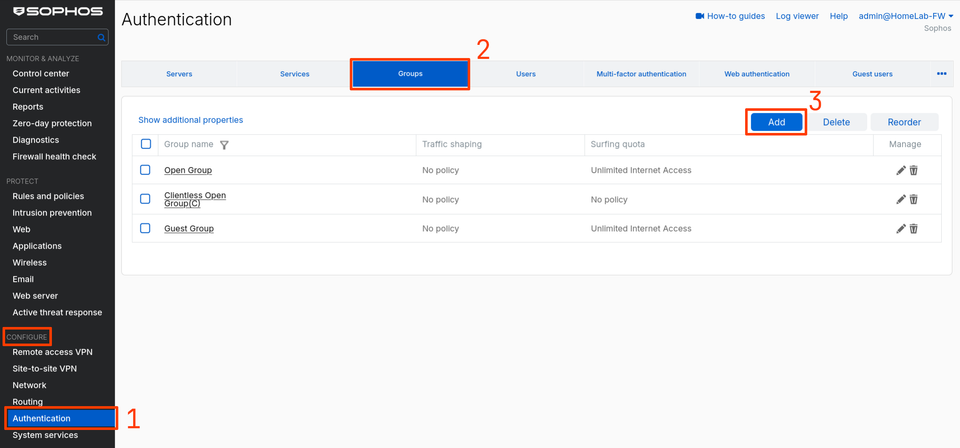
前往 Configure 分類 → Authentication → Groups,點擊 Add:
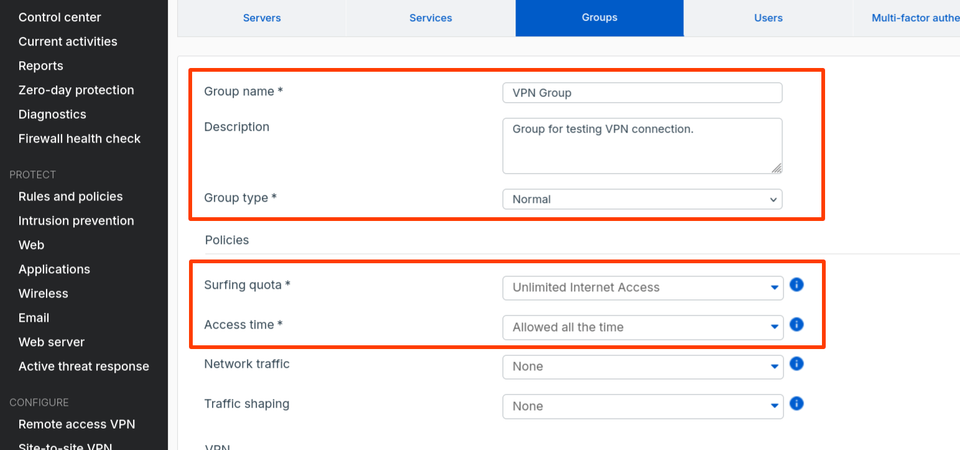
將 Surfing quota 設定為 Unlimited Internet Access;Access time 設定為 Allowed all the time:
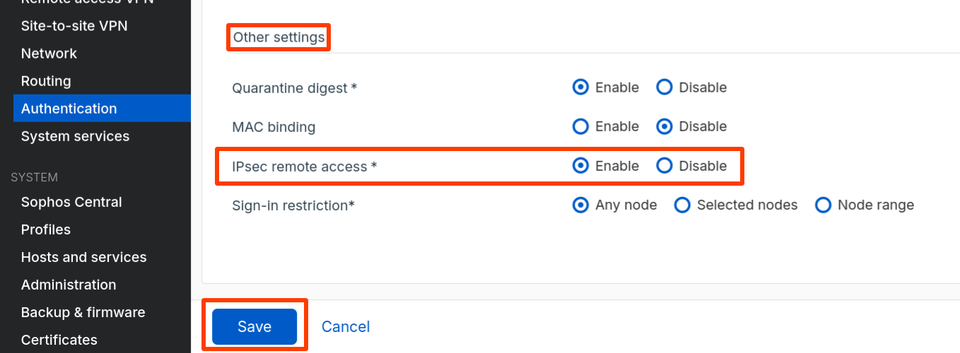
在 Other settings 中,確認 IPsec remote access 為 Enable,再點擊 Save:
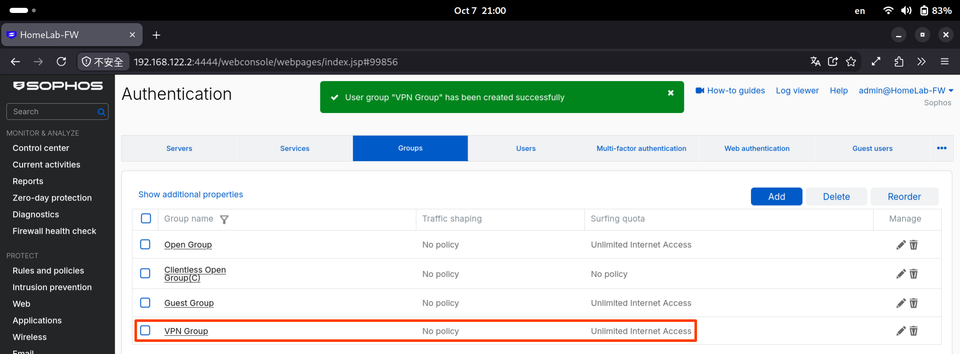
回到清單,會看到剛剛建立的群組。
-
建立使用者
在 Configure 分類 → Authentication → Users,點擊 Add。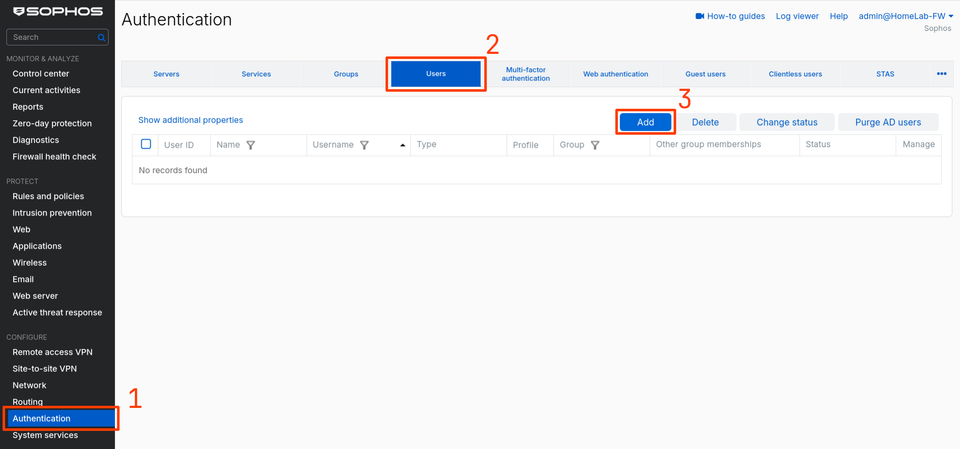
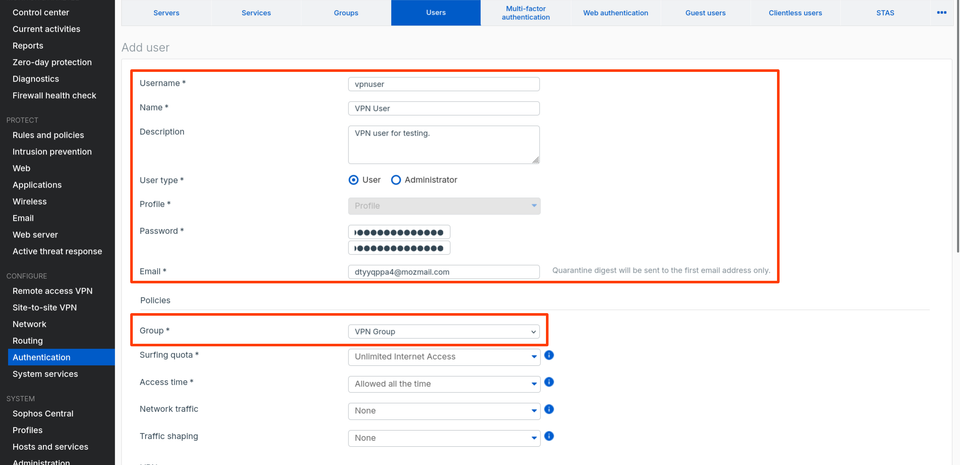
填入使用者帳號、密碼、電子郵件等資訊。Group 選擇剛剛建立的群組,其餘欄位應會自動帶入。
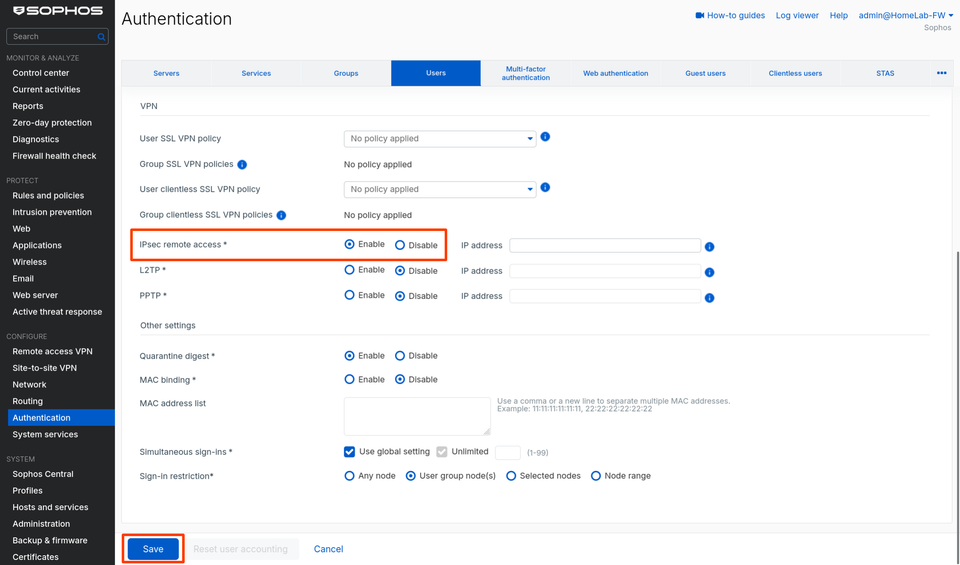
往下確認 IPsec remote access 為 Enable,然後點擊下方 Save。
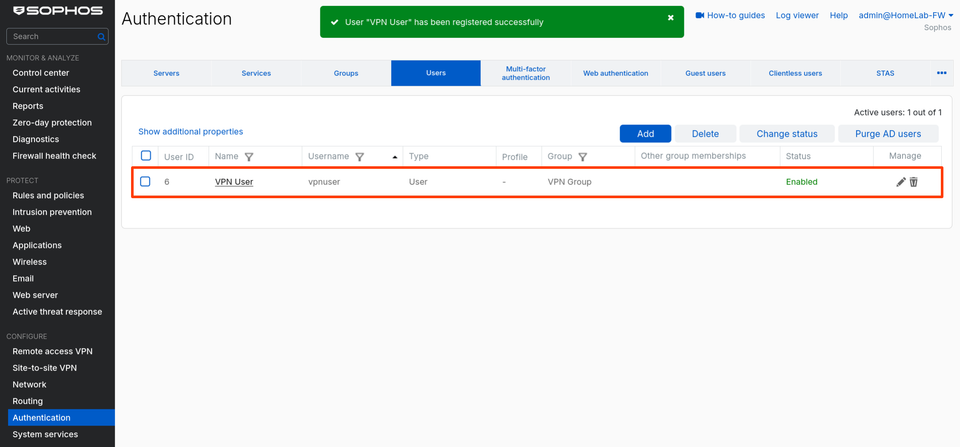
回到清單,會看到剛剛建立的使用者。


啟用 IPsec Remote Access VPN
-
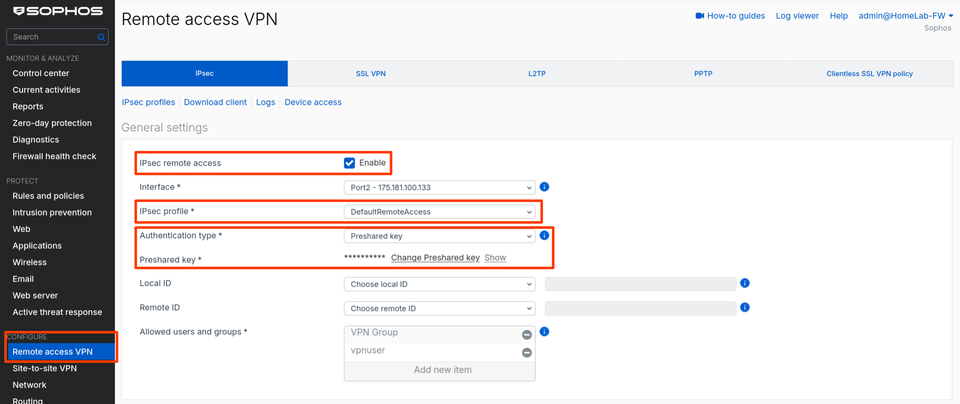
前往 Configure → Remote access VPN → IPsec
- 勾選 IPsec remote access。
- IPsec profile 選擇 DefaultRemoteAccess。
- Authentication Type 選擇 Preshared key。
- Local ID、Remote ID 不選擇。
- Allowed users and groups 應會自動帶入剛剛建立的群組與使用者。
-
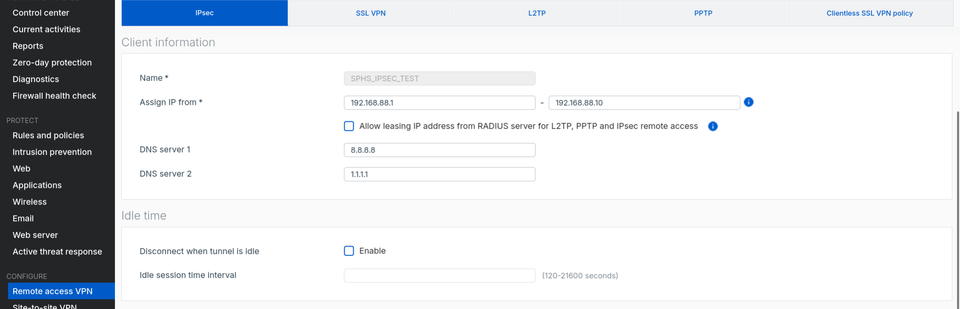
往下填寫 Client information、Idle time。
-
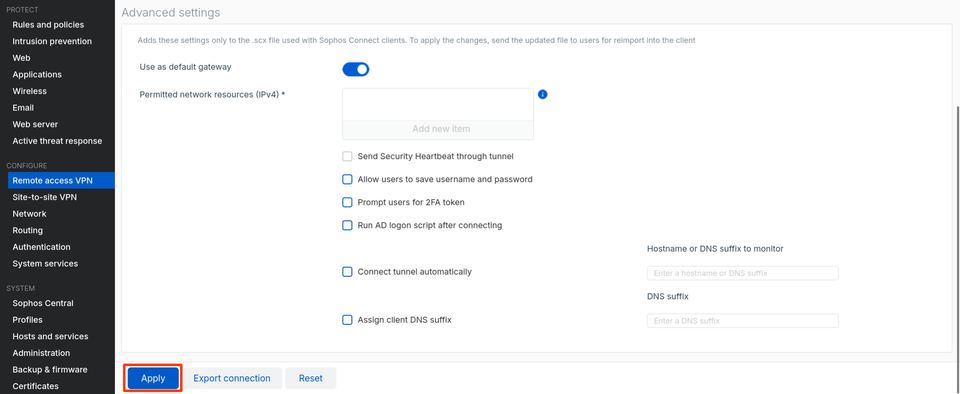
Advanced settings 僅對 Sophos Connect 生效,此處略過不填寫。
-
調整裝置存取設定
前往 System 分類 → Administration → Device access → Local service ACL,確認 WAN Zone 的 IPsec VPN 服務有勾選並套用。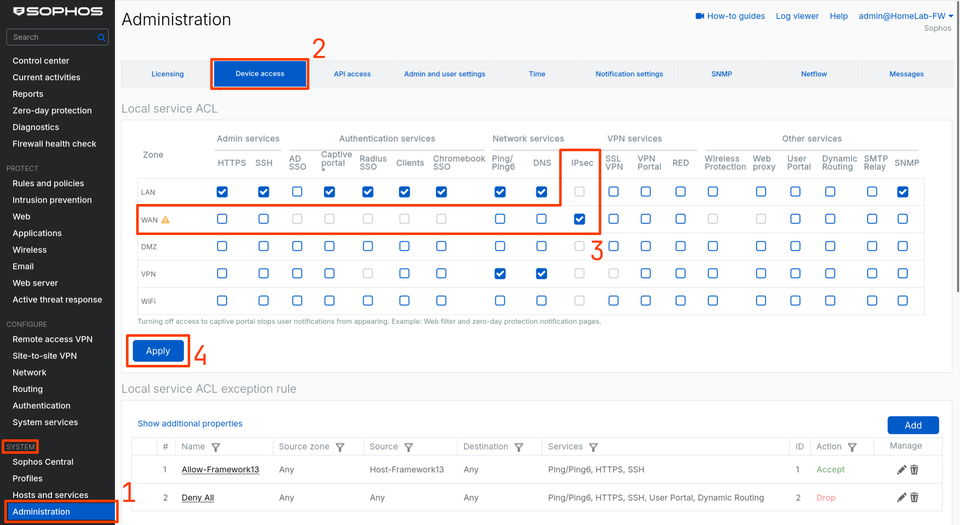


在 Debian 上安裝、設定 strongSwan
-
安裝 strongSwan 相關套件
sudo apt install charon-systemd strongswan-swanctl libcharon-extauth-plugins -
匯入連線設定檔
在/etc/swanctl/conf.d/sophos.conf寫入以下內容,注意 proposals 需要跟 IPsec Profile 相符合:connections { sophos { version = 1 remote_addrs = <防火牆 WAN IP> vips = 0.0.0.0 # Mode Config 取得 virtual IP proposals = aes256-sha256-curve25519 # 階段 1 keyingtries = 5 dpd_delay = 60s dpd_timeout = 240s local { auth = psk } local-xauth { auth = xauth xauth_id = <VPN 使用者名稱> } remote { auth = psk } children { sophos { remote_ts = 0.0.0.0/0 # 實際範圍由 Sophos 允許網段決定 esp_proposals = aes256-sha256-curve25519 # 階段 2(含 PFS) rekey_time = 50m dpd_action = clear } } } } secrets { ike-sophos { secret = "<預共享金鑰>" } xauth-sophos { id = <VPN 使用者名稱> secret = "<VPN 使用者密碼>" } } -
調整權限:
sudo chmod 600 /etc/swanctl/conf.d/sophos.conf
載入設定檔、建立與中斷連線
-
打開終端機,輸入以下指令開始連線:
sudo swanctl --load-all sudo swanctl --initiate --child sophos -
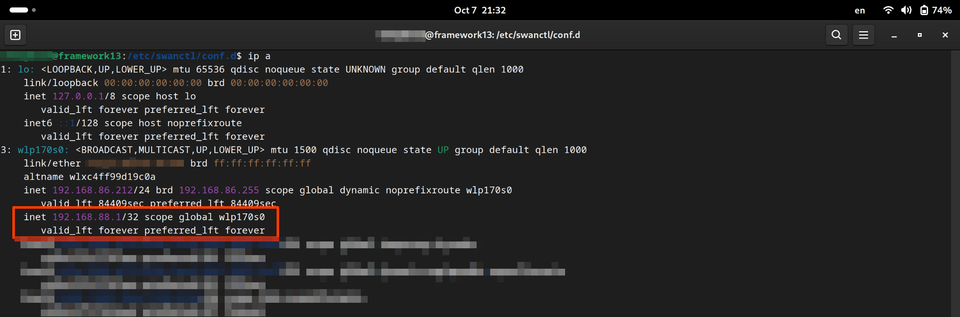
連線後輸入 ip a,可以看到網卡下多了一組 VPN IP
-
中斷 VPN 連線
sudo swanctl --terminate --ike sophos

後續
這篇文章僅紀錄如何用 strongSwan 連線到 Sophos 防火牆的 VPN,若希望 VPN 連線可以存取內外部資源,要再依需求建立相對應的防火牆政策。